
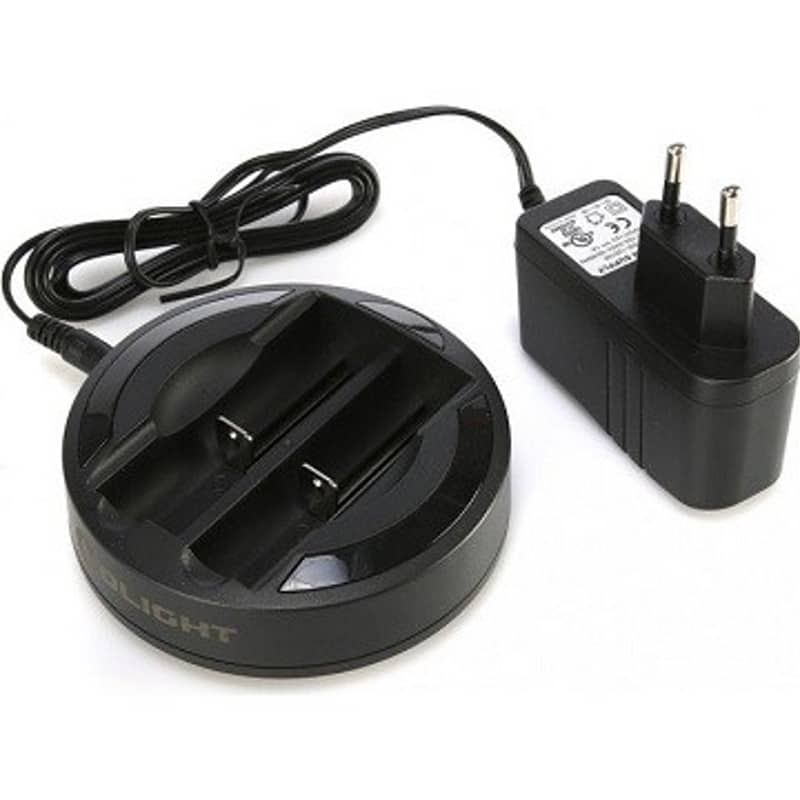


Olight Omni-Dok Two-Bay Battery Charger
R499
Charge supported 18650, 17670, 16340 and 14500 lithium-ion batteries, or AA/AAA NiMH cells, in two independent bays. Automatic charging-mode selection and separate progress indicators. Mains adapter included; batteries and car cable sold separately.
Fast delivery directly to your door!
- Satisfaction Guaranteed
- After Sales Service
- Secure checkout: Yoco or EFT
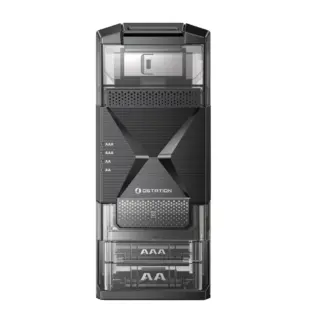
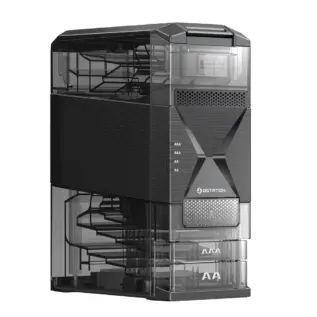
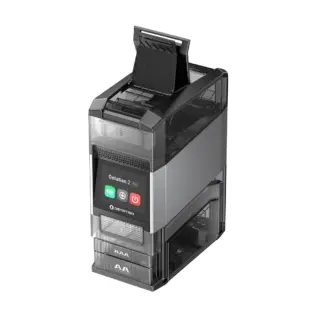
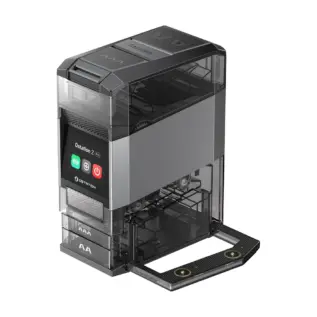
Keep your everyday rechargeable batteries ready for use with the Olight Omni-Dok two-bay battery charger. Its two independent channels charge supported lithium-ion or AA/AAA NiMH batteries, including different supported types at the same time. Separate indicators let you follow each battery’s progress at a glance.
This listing is for the charger with its mains power supply. Rechargeable batteries are not included. Already own an Omni-Dok? The replacement power accessories are linked below.
One charger for several everyday battery sizes
Recharge a compatible flashlight battery alongside a rechargeable AA or AAA used in household equipment. The spring-loaded contacts accommodate the supported sizes, while the charger automatically selects the appropriate charging mode. You do not need two identical batteries to use both bays.
| Battery chemistry | Supported sizes | Charging per bay |
|---|---|---|
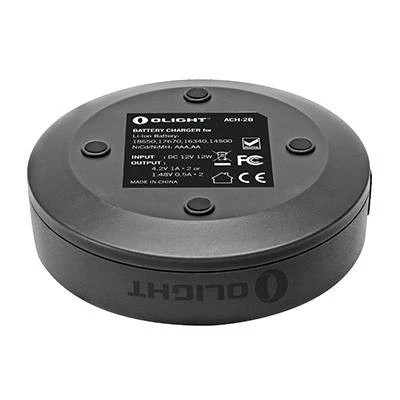
| Lithium-ion, nominal 3.6 or 3.7 V | 18650, 17670, 16340 / RCR123A, 14500 | Up to 1,000 mA; 4.2 V charging voltage |
| NiMH | AA and AAA | Up to 500 mA; 1.47 V charging voltage |
Check chemistry as well as size. “Universal” does not mean every battery is supported. Do not charge disposable alkaline batteries or non-rechargeable CR123A cells. Do not assume compatibility with other chemistries or unlisted sizes.
Some customised Olight batteries place positive and negative contacts at the same end. Olight warns against using these batteries in the Omni-Dok because of the risk of a short circuit. Follow the charging instructions for the exact battery and flashlight.
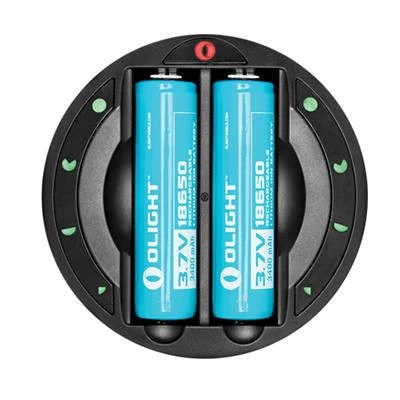
Read the charging progress at a glance
A red power indicator shows that the dock has power. Four green charge indicators beside each bay show approximate progress through low, medium, high and full charge. The two bays operate independently, so their indicators can show different levels.
When a battery is fully charged, all four green indicators stay on for three minutes; the full-charge indicator then remains lit. Charging time depends on battery capacity and remaining charge, so there is no single four-hour charging time for every supported cell.
How to use the Omni-Dok
- Connect the supplied mains adapter to the dock’s DC input and a suitable wall socket. Check that the red power indicator lights.
- Insert one or two supported rechargeable batteries, matching the positive and negative markings in each bay.
- Follow the green indicators for each battery. The charger stops charging each cell when full.
- Remove the batteries when charging is complete. If all four indicators for a bay flash rapidly, check for an incorrectly inserted or unsupported battery, or a short circuit.
The Omni-Dok includes reverse-polarity and short-circuit detection, individual full-charge termination and an eight-hour maximum charging cycle. The time limit is a backup cutoff; it does not mean every battery requires eight hours to charge.
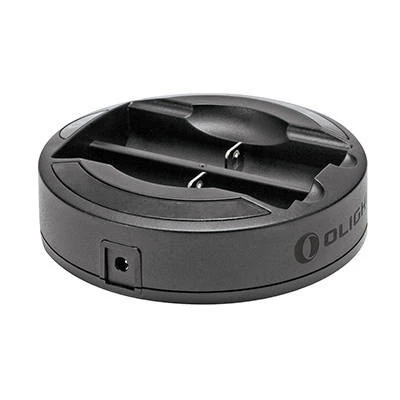
Specifications
| Model | Olight Omni-Dok |
|---|---|
| Charging bays | Two independent channels |
| Dock power input | 12 V DC, 1 A |
| Mains adapter input | 100–240 V AC, 50–60 Hz |
| Mains adapter output | 12 V DC, 1 A |
| Dimensions | 96 mm diameter × 31 mm high |
| Charger weight | 102 g |
What is included?
- Olight Omni-Dok charging station.
- 12 V / 1 A mains power supply.
- User manual.
Batteries and the optional car charger cable are not included. Use a wall socket suitable for the supplied adapter’s plug; a plug converter may be needed for your South African socket.
Need a power accessory separately?
If you already own the dock, choose the accessory for the power source you need:
- Olight Omni-Dok 220V replacement mains adapter — replace a missing or damaged wall-power supply. A separate replacement is not required just to use the charger package sold on this page.
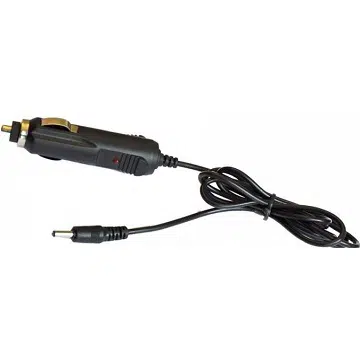
- Olight 12V Omni-Dok car charger cable — power the dock from a suitable vehicle cigarette-lighter/accessory socket.
Both accessory listings are sold separately and exclude the Omni-Dok charging station and batteries. Neither accessory charges loose batteries by itself.
Common questions
Can I charge an AA and an 18650 together?
Yes, when the AA is a supported rechargeable NiMH cell and the 18650 is a supported conventional 3.6/3.7 V lithium-ion cell. Each bay has its own charging channel.
Is the mains adapter included, or must I add one?
The charger package includes its mains supply. The separate adapter listing is for a replacement; the car cable is an optional alternative power connection.
Can it charge a flashlight with a built-in battery?
No. This dock holds supported removable battery cells. A flashlight with a built-in battery must use the charging method specified for that flashlight.
For operating details, read the Olight Omni-Dok user manual (PDF).
Only logged in customers who have purchased this product may leave a review.


Reviews
There are no reviews yet.